
ASUS Zenbook 14: Light on Weight, Heavy on Performance

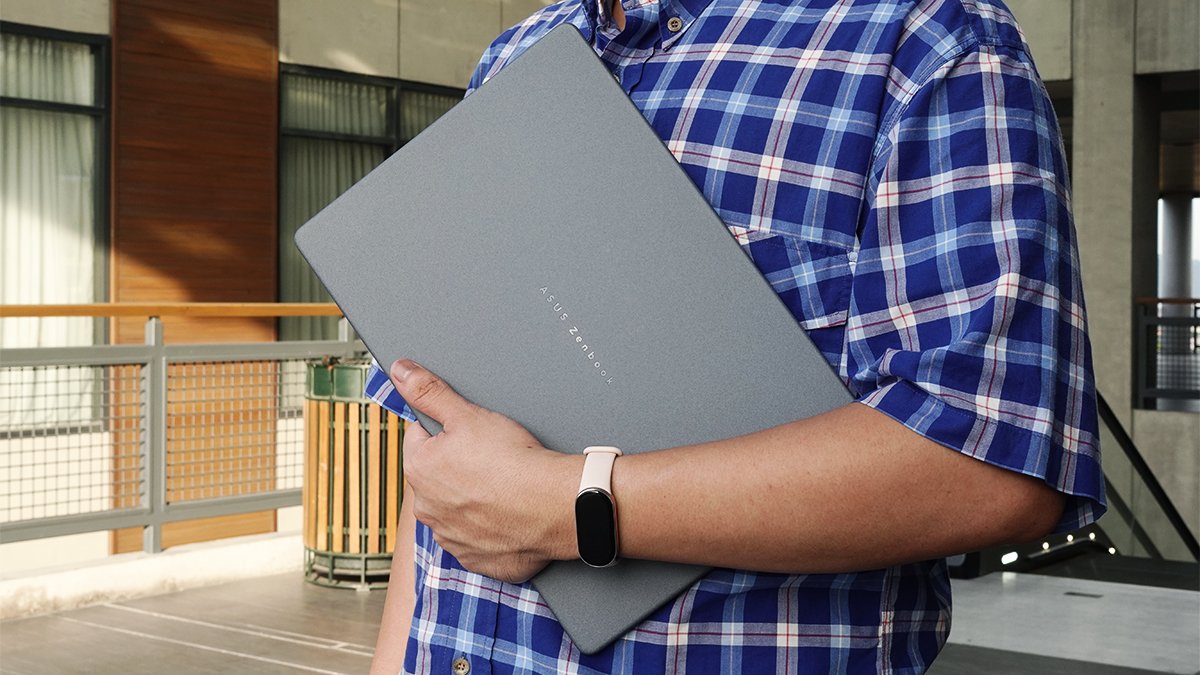

Unboxing the ASUS Zenbook 14 (UX380KA) was one of the most fascinating unboxing experiences Village Pipol has had so far. I was lucky to have unboxed it with some close friends, so hearing their take on its design and look definitely made it even better.
After reviewing a couple of laptops, I knew that ultraportables can sometimes mean its lightness compensates for its performance limitations.
But that’s where the ASUS Zenbook 14 takes a different approach. In this edition of VP Tech, we’ll get into how it is designed to be a laptop you can throw into your bag in the morning, bring from one workspace to another, and still have enough power left to get through a productive day.
Build

The first thing that caught my attention is the new Arctic Blue finish. This gives the Zenbook 14 a little more personality from the endless line of silver and gray laptops, without making it look tacky.
ASUS also gives users different color options depending on the configuration. This includes Komodo Coral for Snapdragon models and Zabriskie Beige, which is coming soon.
Then there is its portability. At just over 1.3 cm thin and around 1.2 kg, you can easily carry the Zenbook 14 without constantly reminding you that you are carrying a laptop. This is where the design made the most sense to me. Whether I was moving between meetings, working from a cafe, or simply changing locations at home, it easily blends into my routine.

The lid is made with ASUS’ Ceraluminum, an exclusive material that combines the lightweight qualities of aluminum with the hardness of ceramic. It is designed to resist scratches, wear, smudges, and everyday hurdles. In other words, this is not a laptop that needs to be treated like it’s too fragile.
Display
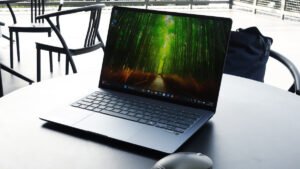
The 14-inch FHD OLED display is another reason the Zenbook 14 feels more premium.
In my opinion, OLED has a knack for making even mundane tasks look better. Spreadsheets have more contrast, photos have more depth, and watching a film becomes considerably more enjoyable. The colors are rich with deep blacks, posing great advantage for when you are working on presentations or simply scrolling through your favorite streaming service. For someone who spends a lot of time designing for screens, this really matters.
Performance

Inside, the Zenbook 14 is powered by an AMD Ryzen AI 7 345 processor with AMD Radeon graphics. It is also paired with 16GB of LPDDR5X memory and a 512GB PCIe 4.0 NVMe M.2 SSD.
For everyday work, expect the usual collection of tabs, presentations, and creative applications to be simultaneously active without making you constantly wonder what needs to be closed.

The more interesting part, however, is the AI hardware.
The Zenbook 14 comes with a dedicated NPU capable of up to 50 TOPS. This gives it the hardware foundation for AI-powered workloads and Copilot+ PC features.
Features such as Copilot are designed to assist with everyday tasks, from finding information to summarizing content and helping with productivity.
You may not use every AI feature every day, and that is fine. The point is that the hardware is ready as the software continues to develop.
Battery

A portable laptop should give you the freedom to stop thinking about the nearest outlet.
The Zenbook 14’s 70Wh battery is rated for up to 33 hours of battery life, depending on usage and configuration. That kind of endurance is exactly what makes a lightweight laptop useful beyond the desk.
And when you eventually do need to recharge, USB-C charging makes topping up considerably more convenient. I’ve brought the Zenbook 14 to various cafes without a socket, and it’s constantly saved my life from those tense moments when your battery is running out.
The ZenMouse Makes a Good Companion
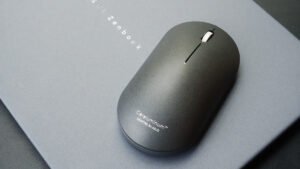
If you’re also looking for a partner for your Zenbook 14, the ASUS ZenMouse MD202 might be a perfect fit.
Sold separately, it carries the same Ceraluminum design language on its top cover and weighs just 85 grams. Its Track-on-Glass sensor lets it work across a wide range of surfaces, while the PTFE feet keep movement smooth.
The mouse also supports dual-mode connectivity. It pairs through 2.4GHz or Bluetooth, with up to four devices for convenient switching between multiple devices.
Battery life can last up to seven months of use on a full charge. A one-minute USB-C quick charge can also provide up to 16 hours of light use. It is a small accessory, but one that can complete the Zenbook’s philosophy.
Out of the Box
ASUS also makes a strong case for the Zenbook 14 as a complete package right out of the box.
Included perks cover an ASUS laptop sleeve, a lifetime Office 2024 Home license, one year of Microsoft 365 Basic with 100GB of cloud storage, up to 700GB of ASUS Cloud Storage, and three months of Google AI Pro. The package also includes ASUS’ service commitments, including a three-year international and local warranty, one-year local accidental damage protection, up to six free device-cleaning claims, and a 14-day return policy.
Overall Impression
The ASUS Zenbook 14 gets it right by understanding that portability is about more than weight.
It is about being able to carry the laptop comfortably, work on a display you actually enjoy looking at, have capable performance, and a reliable battery throughout the day.
The Arctic Blue color gives it character, while the Ceraluminum finish gives it resilience. Its OLED display gives it visual appeal that carries through the Ryzen AI platform, giving it the performance and AI capability to coast through tasks.
This is for the professionals, creatives, students, and anyone whose workspace changes as often as their schedule does. The Zenbook 14 is a particularly compelling everyday ultraportable. If you think you found your match and are intrigued, go ahead and visit the official ASUS Zenbook 14 Product Page and learn more about where you can get your hands on the Zenbook 14.